3. Your first job
Say what should happen and when. Claude writes the job, schedules it, records it in git and tests it.
Ask Claude for a job
Section titled “Ask Claude for a job”-
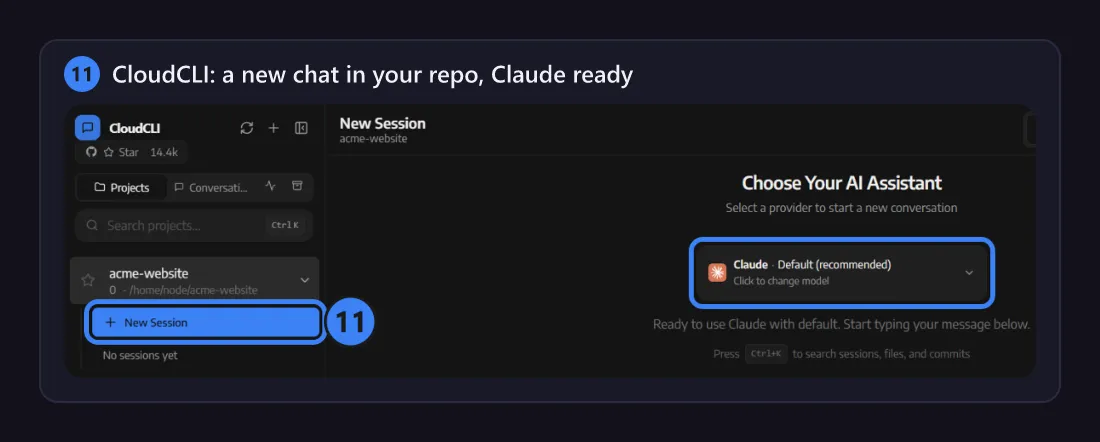
CloudCLI opens a chat in your repo. New Session starts another.
-
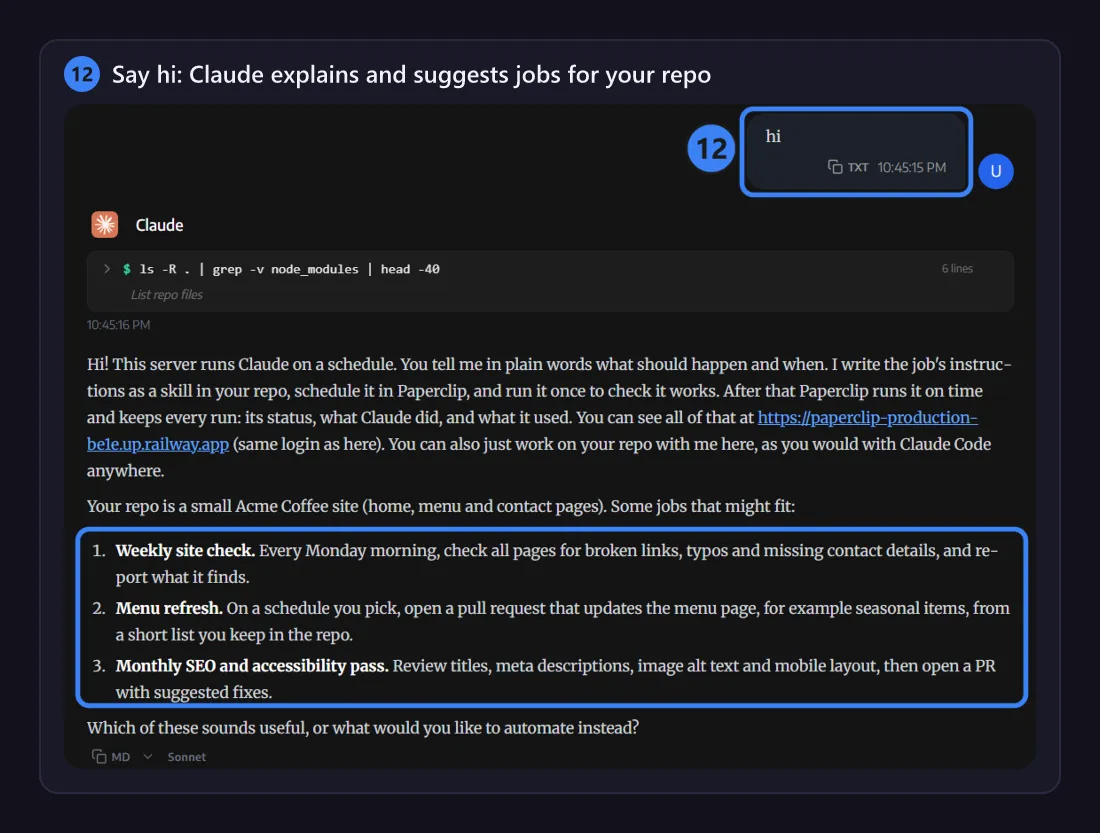
Not sure where to start? Say hi. Claude explains how jobs work and suggests some that fit your repo.
-
Ask for a job in plain words, with when it should run. Here: “Every weekday at 8:00, list the open issues in my repo with a one-line summary each.”
Claude writes the job’s instructions as a skill in your repo (here
.claude/skills/open-issues-digest/SKILL.md), schedules the job in Paperclip and records it in.claude/jobs.json. It commits and pushes both.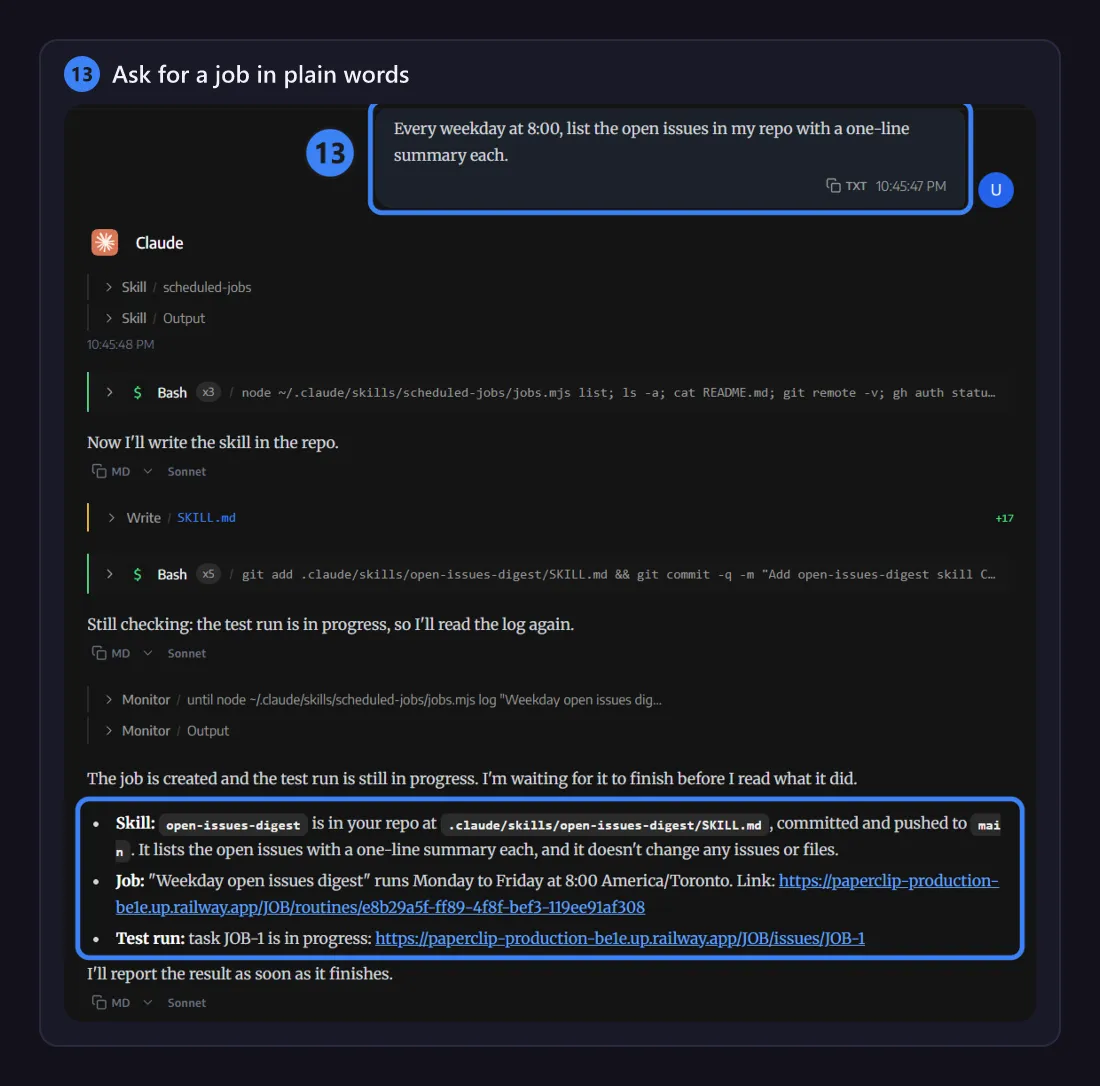
-
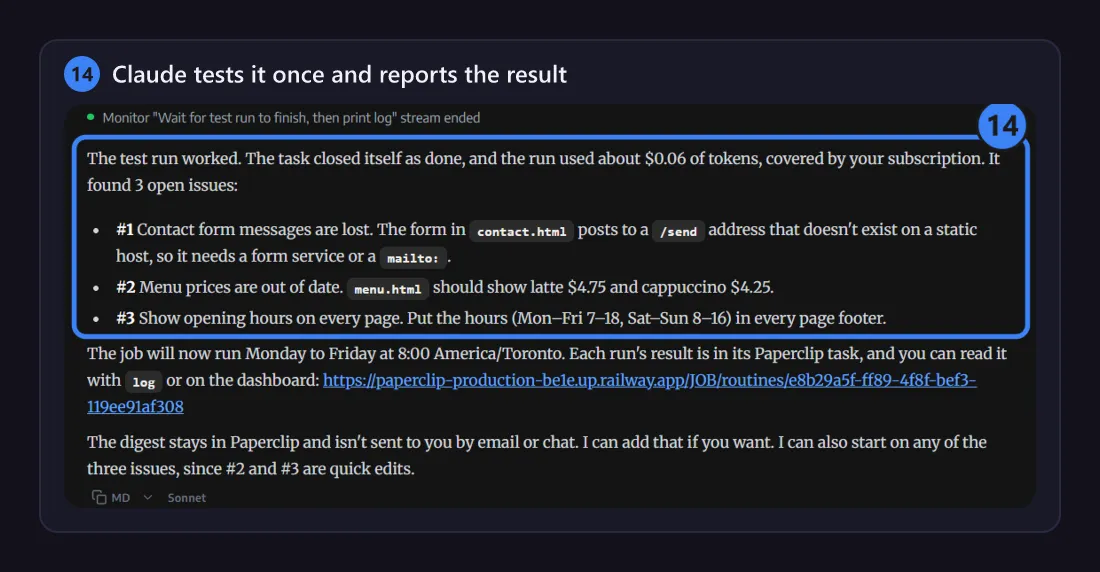
Claude runs the job once as a test, waits for it to finish and reports the result, with links to Paperclip.
Follow and change your jobs
Section titled “Follow and change your jobs”Open the Paperclip service’s address, with the same login.
-
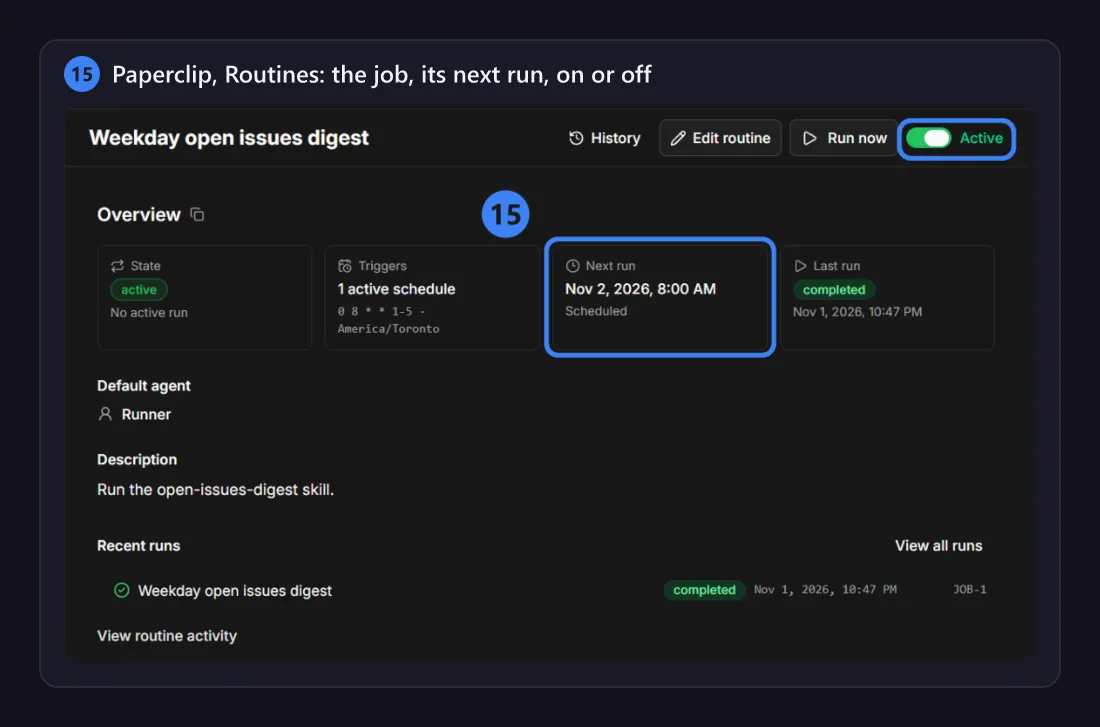
Routines lists your jobs. Each one shows its schedule, its next and last runs, and an on/off switch.
-
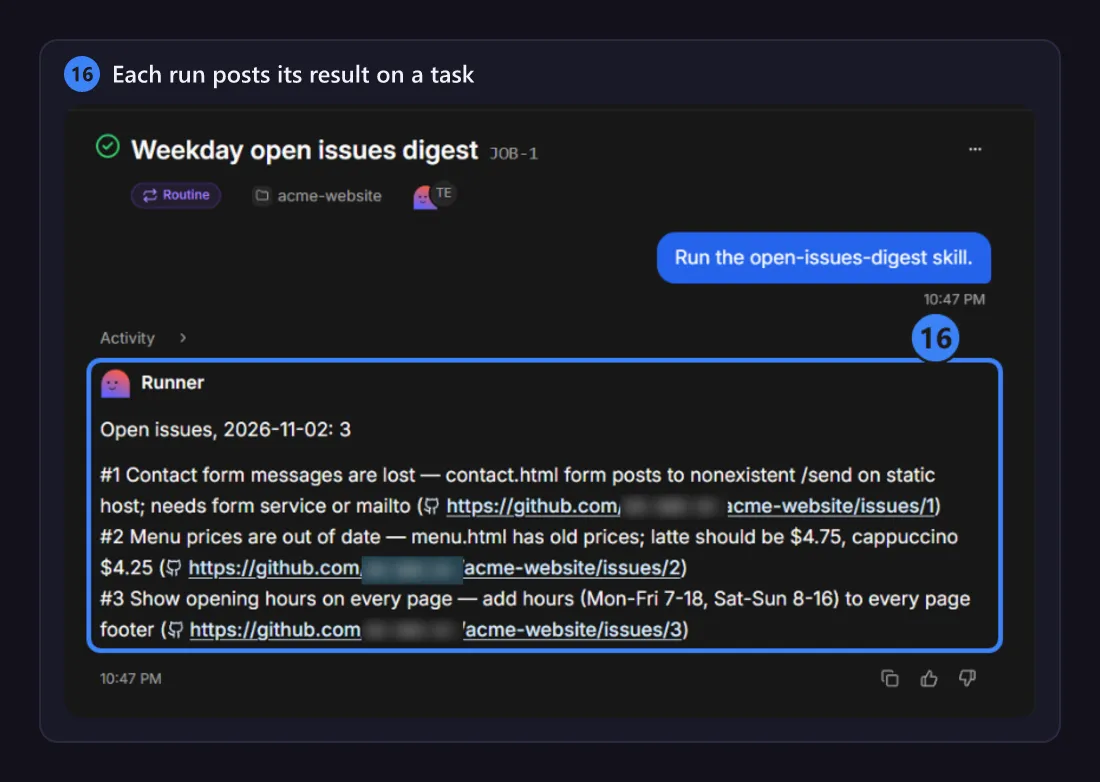
Each run is a task, where the Runner posts its result.
-
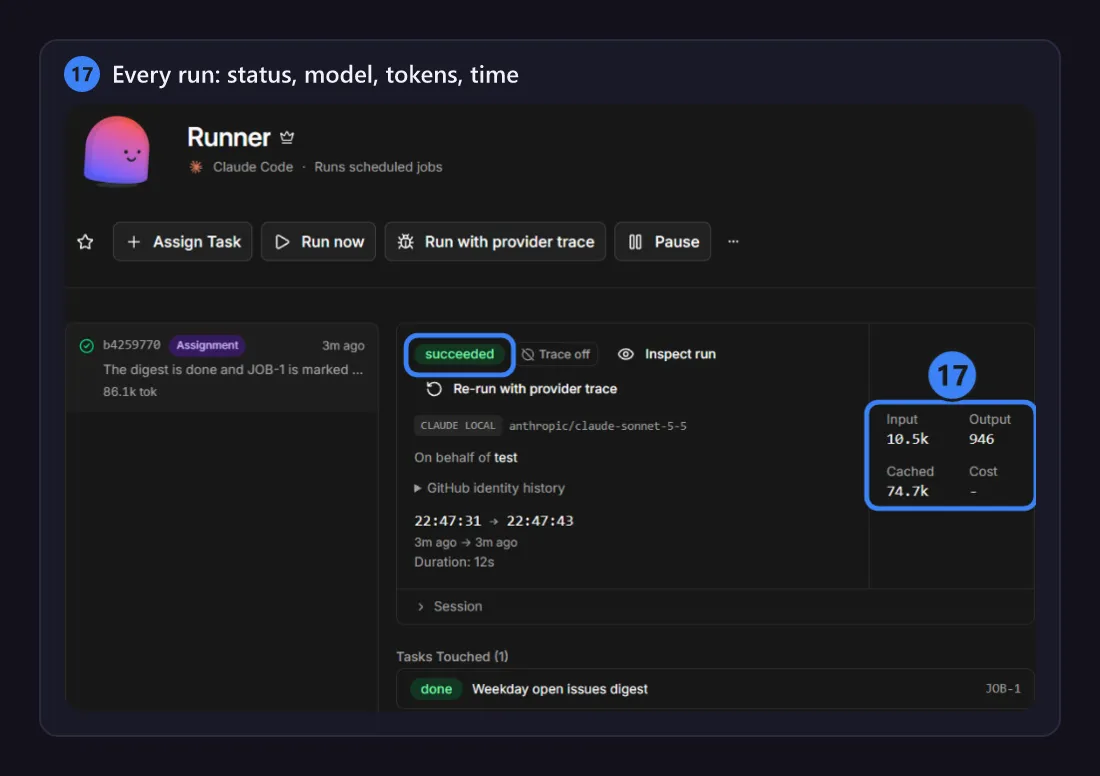
Agents, Runner, Runs: every run’s status, model, tokens, duration and full transcript.
-
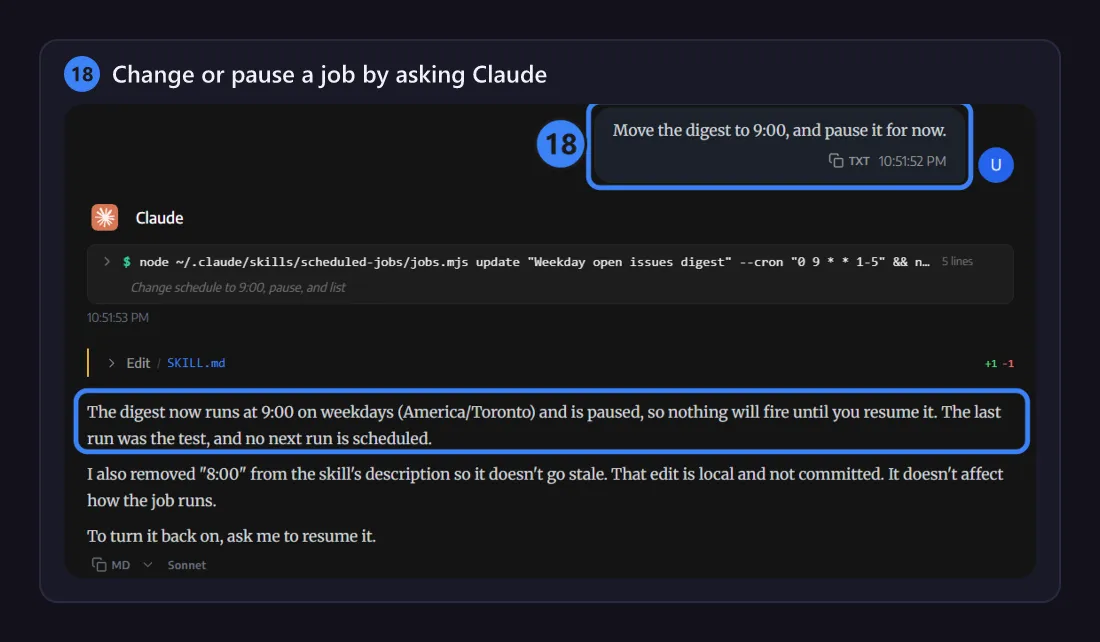
To change a job, ask Claude: a new time or new instructions, pause, resume, run now, or show the last log.
What just happened in your repo
Section titled “What just happened in your repo”Claude made two commits in your repo:
- the skill,
.claude/skills/open-issues-digest/SKILL.md: what the job does; - the record,
.claude/jobs.json: the job’s title, prompt, schedule, time zone and status.
Every later change to the job is another commit of .claude/jobs.json. See Jobs in git.
Paperclip (w/ CloudCLI) is a Railway template by AvgSoft. Paperclip, CloudCLI, Claude Code, Codex and Railway belong to their makers. Template codeDeploy on Railway